
Ghost Mode Video: Privacy, Safety, and Smart Controls
Snapchat reported 414 million daily active users worldwide in Q2 2026, and Ghost Mode is a map-visibility control, not full anonymity. In a safety app, it should hide you from ordinary viewers while preserving a consented path to emergency escalation.
The most popular advice about Ghost Mode is also the least complete: turn it on, and nobody can find you. That sounds reassuring, but it collapses several different privacy questions into one switch. Can friends see your route? Can the app still access GPS? Can a live stream reveal a street sign, window, or delivery label? Can a Safety Agent or emergency dispatcher receive location when you need help?
Those questions matter because privacy and reachability aren’t opposites. A person may want to disappear from a shared map near home, during a change of plans, or while travelling with an audience they don’t fully trust. The same person may need a trained human to know where the stream originated if an incident develops. Good ghost mode video design respects both needs instead of treating privacy as a hard off switch.
Table of Contents
- What Ghost Mode Actually Means for Live Video
- The Privacy Trade-offs of Hiding Your Location
- Ghost Mode During Go Live and SOS Activation
- Real-World Scenarios for Late Walks, Rideshares, and Night Commutes
- How Safety Agents and Emergency Escalation Interact with Ghost Mode
- Configuring Ghost Mode Safely and Best Practices
- The Bottom Line and Privacy and Safety Are Not Opposites
What Ghost Mode Actually Means for Live Video
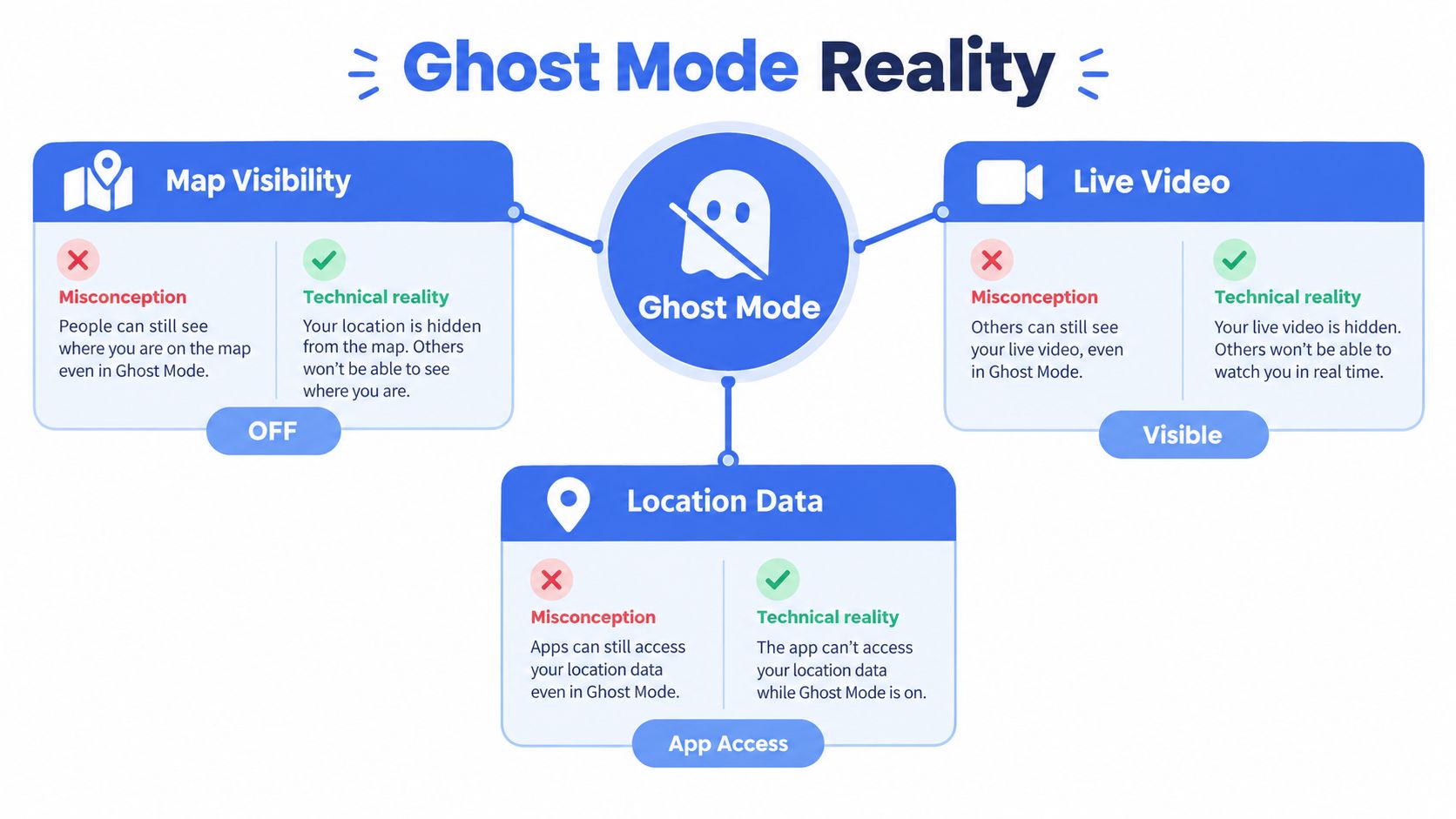
Many users hear “Ghost Mode” and assume total invisibility. In practice, the feature is best understood as an application-level location privacy control. It hides a user’s location from other people on a shared map, but it doesn’t automatically make the user invisible to the app, erase the live video, or terminate every safety channel.
Snapchat’s 2026 help content describes Ghost Mode as a way to remain invisible to others by hiding location from friends. The feature appears across its guidance on hiding location, hiding online status, and staying anonymous, which shows how the term has become a recurring privacy concept rather than a single isolated toggle. Snapchat reported 414 million daily active users worldwide in Q2 2026, giving the feature broad mainstream visibility through its location privacy guidance.
Separate the privacy layers
Treat a live session as several data layers, not one feed:
- Map visibility: Ghost Mode can remove the user from the map seen by ordinary contacts or viewers.
- Live video and audio: A camera stream can continue unless the user stops it or the app’s rules say otherwise.
- Location data: The operating system and app may still have permission to access precise position.
- Emergency access: A safety service may preserve a restricted location path for an SOS or an authorised escalation.
That distinction is central to live remote video monitoring. A watcher doesn’t need a map pin to see what the camera shows, and a trained responder may need location context even when casual viewers shouldn’t have it.
Practical rule: “Off the map” should describe who can see your location, not promise that no system can use location under any circumstance.
For safer ghost mode video, check three states before you go live. First, confirm who can view the stream. Next, identify whether the app can still read device location. Finally, establish what happens when you press SOS. If the product can’t explain those states clearly, the toggle is offering a privacy impression rather than a reliable safety model.
The Privacy Trade-offs of Hiding Your Location
Ghost Mode can reduce social exposure without eliminating technical exposure. If an app retains location permission, it may still read real-time GPS coordinates from the device even while the user’s pin is hidden from friends. The map is only one presentation layer for the data.
A VPN doesn’t solve that problem. A VPN can mask IP-based location, but it doesn’t change GPS coordinates, and an app with location permission can read position directly through mobile operating system services. A live video service may also connect place to geotagging metadata, route overlays, or account-level region signals, so changing the apparent network origin doesn’t make the device anonymous.
Audit the app and the device separately
Use two checklists. The first belongs to the app, the second to the phone.
- Application controls: Review Ghost Mode, audience permissions, route overlays, location history, recording, and emergency sharing.
- Operating-system controls: Inspect whether location access is disabled, limited to use of the app, or allowed in the background.
- Camera metadata: Turn off geotagging where the camera stores it, especially if clips may be saved or shared later.
- Visual exposure: Look for street signs, house numbers, business names, distinctive landmarks, delivery labels, and windows in the camera preview.
The live location sharing guidance should lead to the same conclusion: hiding a map marker isn’t the same as stopping location collection. A person who wants the strongest privacy position needs to reduce exposure at both layers, while understanding that disabling location access can also reduce the quality of monitoring and response.
That creates a practical choice rather than a technical trick. If you need a service to guide responders, it must receive some location through a consented emergency channel. If you don’t want the service to retain or use location at all, revoke the relevant permission, but don’t assume a hidden map will do that for you.
Privacy also starts before a live session. People who use connected mobile services should understand what their device and connectivity arrangements can reveal, including the considerations covered in this guide to privacy during eSIM purchase. The aim isn’t to eliminate every signal. It’s to know which system sees what, and why.
Ghost Mode During Go Live and SOS Activation
Ghost Mode should behave differently during an ordinary live session and an SOS event. Treating both situations identically creates a dangerous choice: either expose a user continuously to ordinary viewers or cut off the information a responder needs during an emergency.
During Go Live, a user may want video and audio to reach selected watchers while the route stays off the shared map. That arrangement supports privacy from social viewers without stopping communication. The product should make the audience visible, show whether recording is active, and state clearly whether a Safety Agent can access the stream.
During SOS, the priority changes. The user has actively requested help, so the system should preserve the minimum location and incident context needed for trained responders to assess the situation and escalate it. That doesn’t mean every contact should suddenly receive the user’s map position. It means emergency visibility must be permissioned separately from social visibility.
| Session state | Ordinary viewers | Safety personnel | Location handling |
|---|---|---|---|
| Ghost Mode plus Go Live | Video and audio according to audience settings | According to the monitoring service | Map visibility can be suppressed |
| Ghost Mode plus SOS | No automatic expansion of the social audience | Safety Agent can assess the event | A restricted emergency breadcrumb can remain available |
| No active session | No live stream | No live monitoring | Device and account permissions still matter |
The useful design question isn’t “Am I invisible?” It’s “Invisible to whom, for which purpose, and until what event?” A temporary map privacy state can coexist with an emergency route if those permissions are separated.
The Ghost Mode feature follows that logic by treating disappearance from the map as a temporary privacy break rather than a command to abandon safety functions. A user can reduce routine visibility, then activate SOS without having to rebuild the entire safety context under pressure.
Real-World Scenarios for Late Walks, Rideshares, and Night Commutes
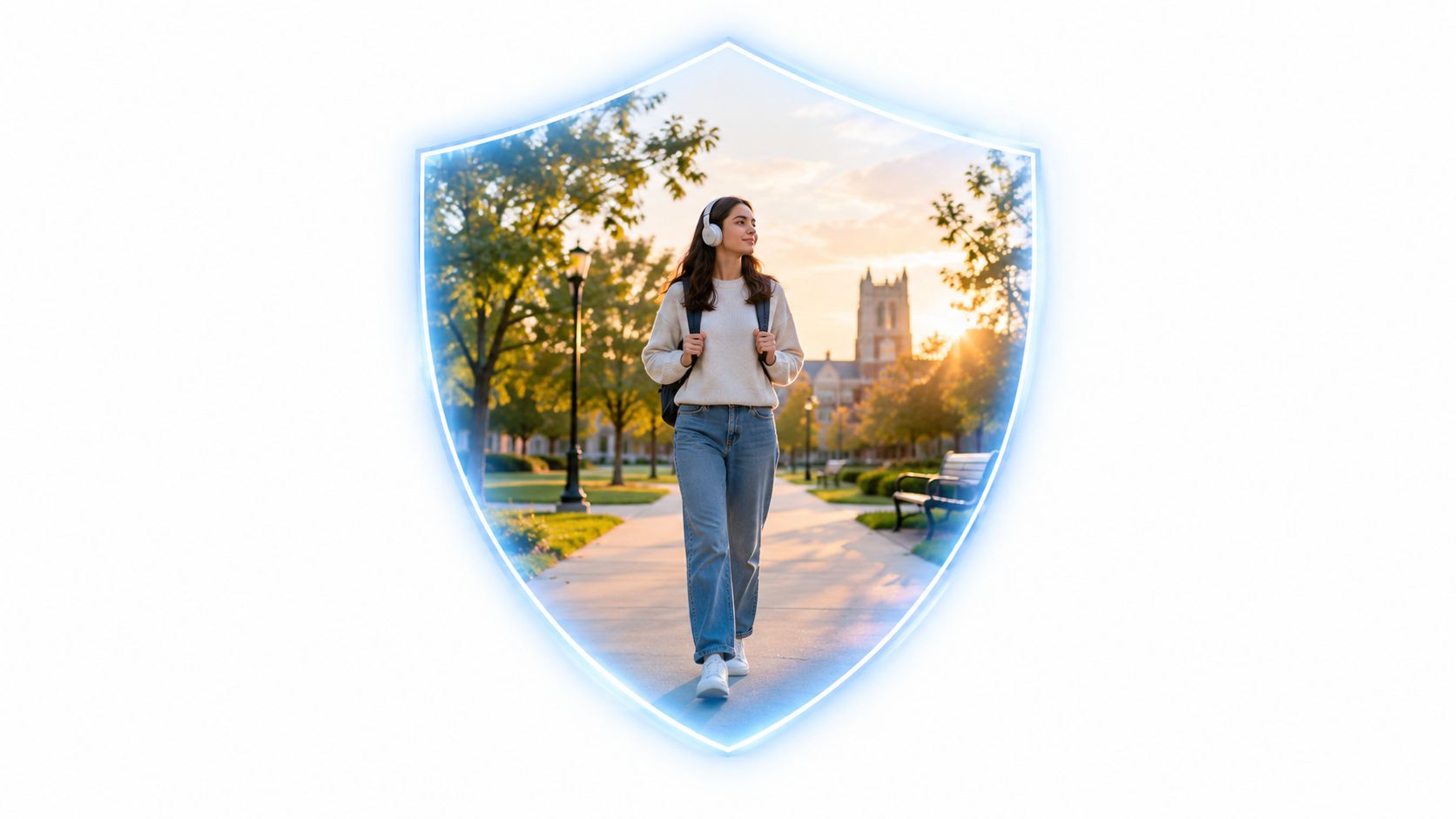
A university student leaves a late class and starts a monitored walk home. She wants selected contacts and a Safety Agent to see the live video, but she doesn’t want every social viewer to watch her route approach her residence. Ghost Mode can remove her from the ordinary map view while the stream continues for the people authorised to monitor it.
That setup works only if she understands the boundary. A camera can still reveal a campus gate, a bus stop, or the direction of travel. A hidden map protects against one category of watcher, not against visual identification. She should review the camera frame before moving, avoid broadcasting recognisable route markers unnecessarily, and know exactly which button starts SOS.
The rideshare problem is different
A rideshare passenger may want a continuous video record because the vehicle, route, and conversation could become important evidence. At the same time, displaying a live map to casual contacts could reveal a home address or the destination of the trip. Ghost mode video helps separate evidence capture from social location sharing, but only when the app explains who can access each layer.
The passenger should confirm that recording remains active, that the route is available to the monitoring service if an incident occurs, and that ordinary viewers don’t receive unnecessary map detail. They should also avoid assuming that a quiet journey proves the system is safe. If the stream stops, the passenger needs a clear indication, not a silent failure.
Night commutes expose the response delay
A lone worker travelling after a shift may turn on Ghost Mode near a familiar neighbourhood because they don’t want a broad audience to know their routine. That preference is reasonable. The risk appears when the user later needs help but discovers that location access was disabled entirely, leaving a responder with video but no reliable position.
A sensible workflow preserves a narrow emergency path. The user can stay hidden from regular watchers while a trained monitor receives the context needed to act after an SOS. The privacy setting should reduce unnecessary exposure, not force the person to choose between dignity and assistance.
How Safety Agents and Emergency Escalation Interact with Ghost Mode
Real-time monitoring depends on more than a moving dot. Trained Safety Agents need a usable combination of live video, audio, two-way communication, and location context. They may need to ask a question, watch both camera views, recognise an environmental clue, and decide whether the situation warrants escalation.
That creates the hidden tension in ghost mode video. Privacy-oriented settings give the user control over who sees the route, while professional monitoring needs enough context to respond. A system that hides location from everyone may feel private, but it can leave an agent unable to distinguish a harmless pause from a dangerous one.
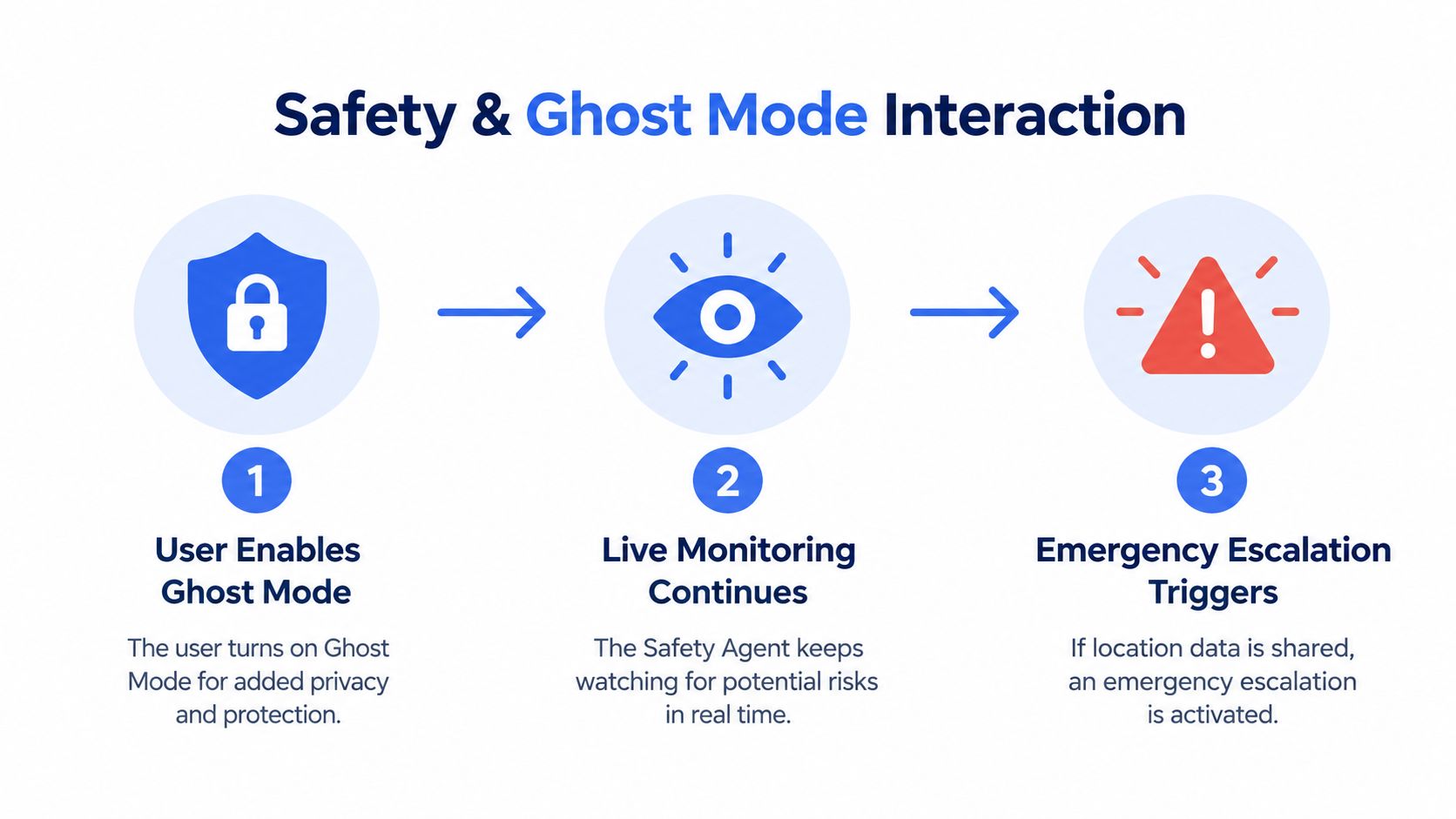
Preserve a narrow emergency path
The answer is not continuous exposure. It is role-based visibility:
- Friends and casual watchers can lose access to the map.
- Selected contacts can retain only the live information the user has approved.
- Safety Agents can receive the stream and emergency context during monitoring.
- Emergency dispatch can receive location and critical information after an escalation workflow.
Independent live-monitoring guidance places trained agents, two-way communication, and rapid escalation at the centre of response. Privacy guidance, by contrast, emphasises that users should be able to limit or turn off location sharing. The product design must reconcile those positions with an explicit consent model, not hide the conflict behind a single label.
For an incident that reaches emergency dispatch, the service can use RapidSOS to deliver the stream, location, and critical information to dispatch. That workflow doesn’t make the app a replacement for calling emergency services. It creates a structured escalation path when the user activates SOS or a Safety Agent determines that escalation is necessary.
A privacy mode should narrow the audience for location, not erase the breadcrumb that a responder needs.
The breadcrumb should be minimal, protected, and event-based. It might support the active incident without making the user continuously visible to every watcher. The interface should tell the user when that state begins, who can access it, and whether recording or transcription will preserve an incident record for follow-up.
Configuring Ghost Mode Safely and Best Practices
A safe configuration starts with a permissions audit, not the Ghost Mode button. Before travelling, open the phone’s location settings and identify whether the app has no access, access only while in use, or background access. Then open the app itself and review audience visibility, route sharing, recording, emergency escalation, and any setting that controls who can request audio access.
Use this practical sequence:
- Check the camera frame. Remove street signs, house numbers, delivery labels, windows, and other details that disclose a residence or route. Live video has little or no delay, so viewers can correlate visible landmarks with the user’s current position.
- Disable unnecessary geotagging. Review camera and media settings so saved footage doesn’t carry more location context than the incident requires.
- Test the privacy state. Confirm that Ghost Mode removes the map view for ordinary watchers while leaving the intended stream and monitoring session active.
- Understand emergency access. Ask whether SOS restores a restricted location path for a Safety Agent or emergency dispatcher, and whether the app explains that transition on screen.
- Set the Emergency Entry Pin. Use it to identify the closest entrance or access point for responders. A general address may not tell an arriving responder which gate, lobby, or building entrance is usable.
- Keep escalation controls reachable. One-tap SOS, Lock Screen widgets, and Critical Alerts should remain available when the phone is locked or set to Do Not Disturb.
Ask the provider uncomfortable questions
A trustworthy provider should answer these questions in plain language:
- Does Ghost Mode hide the user from contacts, responders, or both?
- Does video continue when the map is hidden?
- Can Safety Agents see location during an SOS?
- What gets recorded, transcribed, or summarised?
- What happens if the user revokes phone-level location permission?
- Can the user see who is watching and when escalation occurs?
This is the same discipline organisations apply to employee app security. A clear permission model matters more than a reassuring feature name, especially when the user is stressed and has limited time to interpret a status indicator.
Don’t treat Ghost Mode as a replacement for human monitoring. Squad viewing, Critical Alerts, movement prompts, one-tap responses, and a tested SOS path each address a different failure mode. Privacy works best when those layers remain understandable and independently controllable.
The Bottom Line and Privacy and Safety Are Not Opposites
Ghost Mode is useful because people need a way to step out of routine location sharing. It can reduce unwanted map visibility during a walk, commute, or rideshare without requiring the user to stop every safety feature. But the name encourages a broader promise than the technology can deliver.
The accurate mental model is controlled invisibility. Ordinary viewers may not see the user’s route. The live camera may still show place. The app may still have device permission to read location. A Safety Agent may still need a restricted emergency breadcrumb. Those facts aren’t contradictions. They describe different audiences and different purposes.
Judge the feature by its failure behaviour
A privacy toggle earns trust when it answers what happens under pressure:
- If the user keeps streaming: Is video still visible to the approved audience?
- If the user reaches a private area: Does Ghost Mode hide the map without ending monitoring?
- If the user presses SOS: Does the system preserve enough location context for escalation?
- If a responder arrives: Can an Emergency Entry Pin guide them to the right access point?
- If an incident needs follow-up: Does the user know whether recording, transcription, or summaries exist?
The weak design is a binary switch that makes the user invisible everywhere. It protects against routine observation but can also break continuity at the moment assistance matters. The stronger design separates social map visibility from professional emergency access, explains the difference in the interface, and lets the user make an informed choice.
For late walks and rideshares, ask three questions before relying on ghost mode video: who can see me, what can the camera reveal, and who can still help if something goes wrong? If the answers are clear, Ghost Mode can support privacy without undermining response. If the answers are vague, don’t confuse a dark map with a complete safety system.
3rd-i offers live video, audio, and route sharing with selected contacts and trained Safety Agents, alongside Ghost Mode, SOS workflows, recording, and RapidSOS emergency escalation. Visit 3rd-i to review how its privacy controls can keep routine map visibility limited while preserving a consented path to real-time help.