
Family Location Sharing: Settings That Protect Everyone
The pasta is ready and one chair is empty. You open the family app, and your seventeen-year-old’s dot sits at the school, unmoving, twelve minutes after practice ended. Do you text? Do you call? Do you wait?
That hesitation is the whole subject. A location app answers “where was the phone a moment ago,” not “is my person safe.” The distance between those two questions is where every good or bad setup lives.
Family location sharing works best as a revocable, purpose-limited arrangement: a defined question, a defined audience, a defined end time. Get those three right and the app reduces friction. Get them wrong and it becomes a low-grade surveillance habit that nobody agreed to and nobody enjoys.
Table of Contents
- How Family Location Sharing Works
- Choosing Precision, Scope and Duration
- Agreeing Sharing Rules as a Family
- Privacy Controls and Data Protection
- When Location Data Fails or Turns Harmful
- Set Up and Check Your Family Sharing
How Family Location Sharing Works
At 3:48 on a Tuesday you’re standing at the bus stop, phone out, wondering whether the 4:05 has reached your daughter’s stop yet. Not which streets the bus is travelling. Not how fast it’s moving. Just whether she’ll be standing on the pavement when you get there.
Every family app works the same way underneath. Software on each phone combines GPS satellites, nearby Wi-Fi networks and cell-tower signals into a position estimate, then sends that estimate to a shared map. What the other person sees depends entirely on the setting: a single dot, a line tracing a route, or a soft circle a few hundred metres wide. Updates arrive on a schedule the phone chooses, so a live map is really a series of snapshots, sometimes minutes apart.
Sharing is usually mutual inside family apps, and the person being located normally holds the controls: they choose who receives the feed and can revoke it without asking anyone’s permission. Some apps allow one-directional monitoring of a younger child’s device, which is a different product in practice, because one party sees everything and the other sees nothing.
Location awareness became a mainstream phone capability long before family sharing settled into a routine habit. In a survey published in May 2012, 74% of U.S. smartphone owners said they used their phones to obtain real-time information based on their current location, up from 55% a year earlier, according to Pew Research Center. The plumbing arrived first. The family etiquette came later, and it’s still being written.
Think of a live location as a key with an expiry date, not a permanent copy of your house key. A timed share that ends at 4:15 is a courtesy. An always-on feed that never gets reviewed is a standing arrangement nobody remembers making.
Practical rule: decide what question the share answers before you switch anything on. “Has the bus arrived” and “where is she right now” need very different settings.
The four ways a family usually shares
It’s easy to picture one setting, a dot on a map. In practice there are four distinct modes, and they expose very different amounts.
| Mode | What recipients see | Typical family use | Privacy exposure |
|---|---|---|---|
| Continuous sharing | Live position at all times | Households with a relative who needs regular check-ins | High |
| Timed sharing | Live position for set hours | Commute or late school pickup | Medium |
| Trip-only sharing | Live route while a journey is active | Walk home, rideshare or travel | Low to medium |
| Approximate sharing | Area within a chosen radius | Routine check that someone is home | Low |
Trip-only sharing is the mode parents of new drivers reach for first, and the feature sets vary enough between platforms that it’s worth researching teen driving safety apps before committing to one, since driving reports, speed alerts and trip history are not standard everywhere.
Pick the mode from the goal, not from what the app opens with. A family that starts on continuous sharing because it’s the default has effectively chosen the highest-exposure option without deciding anything.
Choosing Precision, Scope and Duration
A family member may need precise directions to a pickup point, while a routine check-in only requires knowing they are nearby. Location sharing works best when its accuracy and duration match the task, rather than staying at its most detailed setting by default. One study comparing smartphone-derived locations with reference GPS reported that 90% of accuracy estimates were below 100 meters, with the least accurate results mainly coming from cell-tower-derived positions (Environmental Health Perspectives).
That level of detail can help someone find a child at a crowded gate. It can also reveal a residence, workplace, school route, or repeated visits to a clinic. A location dot is therefore more than a navigation aid: its privacy impact depends on who can see it and how long it remains available.
Comfort with sharing can vary with the relationship and the purpose. A trusted recipient may be appropriate for a precise, temporary share, but closeness alone does not establish consent. Set the boundaries directly, and make sharing revocable so a person can stop it when the purpose ends.
- High precision for short windows. A pickup at the east gate may call for a precise location for a limited time. Once the pickup is complete, the share should end.
- A broad radius for routine presence. Knowing someone is in their neighbourhood can answer a general check-in without tracing their route or identifying each place they visit.
- Off when the purpose ends. Give each share a clear finish, such as the end of a trip or a planned pickup. Avoid letting a temporary arrangement become continuous.
For example, a son taking a late train home on Thursdays might share a precise, trip-only location during the journey. If the train is delayed, he should be able to extend the share himself. The person sharing the location should retain control over whether it continues.
What the app should show before you tap share
Before sharing, check four details on the same screen, or find them in the settings before proceeding:
- Recipient scope. Confirm who receives the location by name. A label such as “family group” may not make every viewer clear.
- Precision. Check whether recipients see a specific position or only a broader area.
- Duration. Look for an end time or an event that stops sharing. If neither is clear, do not assume the share will expire automatically.
- History retention. Check whether the app stores a location trail and how long it keeps it. A live share ending does not necessarily mean its history is deleted.
| Precision | Suits | Exposure |
|---|---|---|
| 25 m | Finding a specific entrance or pickup point | High, can show the exact building |
| 100 m | Following a walking route or a particular street | Medium-high, can reveal a home or workplace |
| 1 to 5 km | Showing neighbourhood presence | Medium, reveals district and daily routine |
| 100 km | Showing only the region or city | Low, reveals little about specific places |
These distances describe the examples in the table, not a guarantee that every app offers those settings. Check the actual controls before relying on a particular level of precision. If an app keeps a trail after sharing ends, treat that history as a separate exposure: it can show where your family has been to anyone with access to the account.
Before you rely on it: check whether the app keeps history after a share ends. An expired share with a retained trail still tells a story to anyone who opens the account later.
Agreeing Sharing Rules as a Family
A family starts sharing locations for a reason: a pickup, a journey home, or a way to check in when plans change. Write down who can see each person’s location and why before adjusting app settings. Then separate occasional check-ins from ongoing access. A name in a sharing circle should have a purpose, not just a place in the family group.
A CivicScience survey found that location sharing often reaches beyond one recipient. Its findings can help prompt a useful question: does every person with access need the same information, for the same amount of time? A spouse or partner may need a pickup update, while a grandparent may only need to know that someone arrived safely. Those needs do not automatically call for the same live feed.
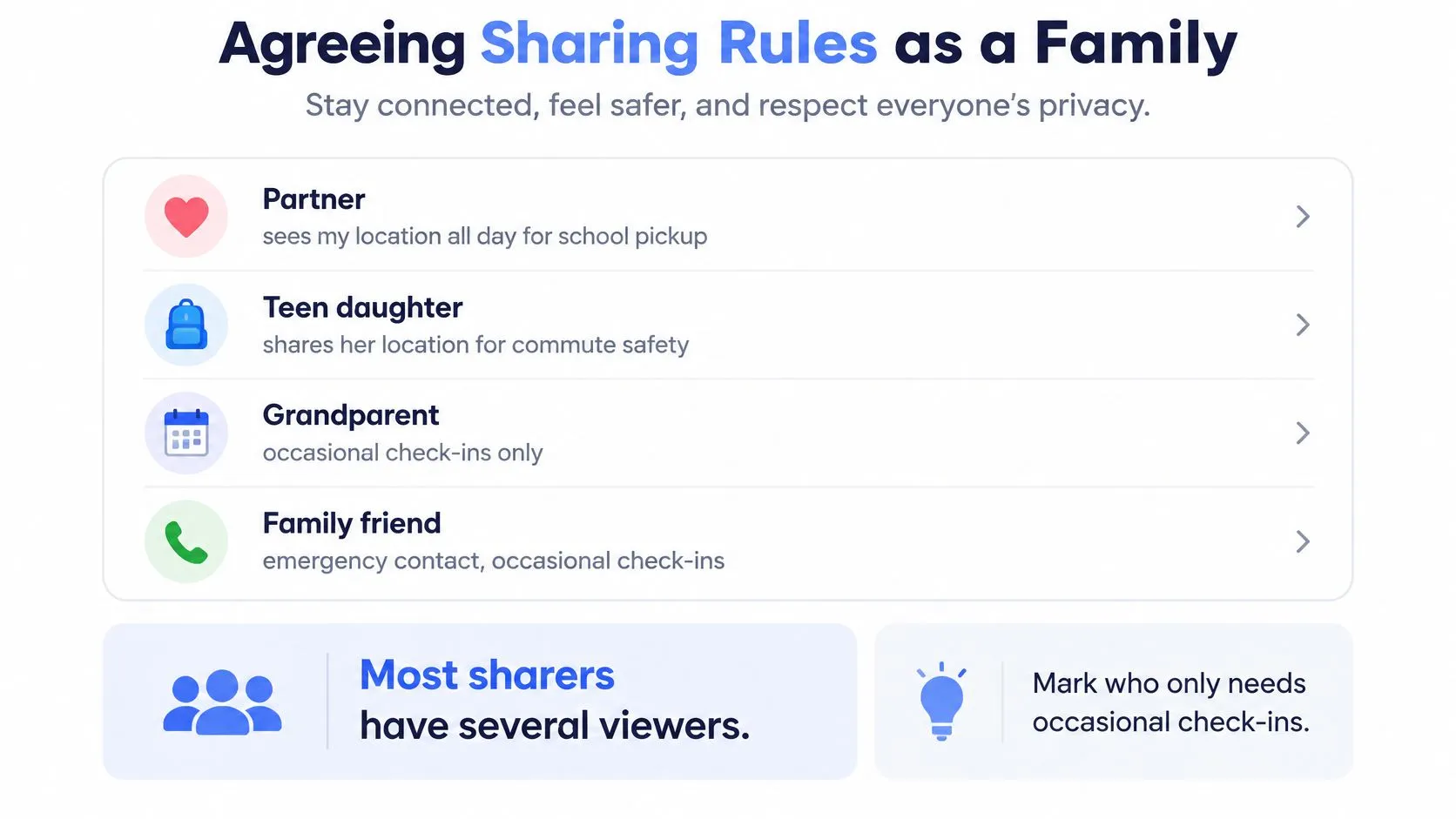
The recipient list is a privacy control. If a grandparent is included for emergencies, decide whether that means receiving a specific check-in or seeing a live location continuously. Access should match the purpose, and it should be possible to pause or withdraw it.
Why consent is harder than setup
Installing an app is quick. Agreeing on what sharing means takes more care, particularly when parents and adolescents may understand the same setting differently. A study of 525 Dutch parent and adolescent pairs found that location tracking was associated with parental overprotection and fear-related beliefs, but not with adolescent well-being. A follow-up found that only about half of the pairs agreed on how often tracking took place (National Library of Medicine).
That gap is a reason to talk through the arrangement, rather than treating an enabled setting as shared understanding. Agree on what the location is for, who can see it, and how either person can pause it. A location dot can answer where someone is; it cannot establish that everyone is comfortable with being watched.
The practical lesson is to state the purpose and set a point to review it. Without those, a temporary safety measure can become a routine expectation.
Six rules to write down
- Name the purpose per person. “My partner can see my location during school pickup” describes a limited arrangement. “My partner can see me” leaves its scope unclear.
- Agree monitoring hours. Outside those hours, a detour to the shops does not require an explanation.
- Set precision and recipients together. A broad area shared with a few people may meet the need better than a precise point shared widely.
- Message before you call. If a dot has stopped moving, send a text first. A phone may be in a bag or temporarily out of use.
- Agree a pause method. Choose the wording in advance, so turning sharing off communicates a boundary rather than inviting suspicion.
- Set a review date. Add it to the calendar and reconsider whether the arrangement still fits as schedules and needs change.
Make the pause rule specific. For example, a teenager might turn sharing off during exam week and send a message explaining that it will stay off until Friday. The family can agree in advance that the pause is expected, not an emergency, and that sharing resumes only if the original arrangement still suits everyone.
For a teenager’s club practice and weekend travel, browse guardian tools for clubs for options related to consent and pickup coordination. The same principle applies: agree who needs information and for what purpose before sharing it.
If someone pauses sharing, discuss the pause without punishment and update the agreement if it no longer works. Location access should be revocable, not a test of trust. A family that relies on a map to feel secure still needs a way to communicate directly.
Privacy Controls and Data Protection
A family map can feel private because only relatives see it, yet each connected phone stores and sends information. Research on family-location applications found that file analysis and network-traffic inspection could recover personally identifiable information, including profile images, live or recorded coordinates, and private messages. If one participating phone is compromised, information about the wider family circle may be exposed (ScienceDirect).
Location data can persist on a phone after an app is removed, including last-known locations. Before a device is sold, lost or handed down, securely erase it. This is a separate step from ending a location-sharing arrangement: revoke access in the app, then remove data from the device.
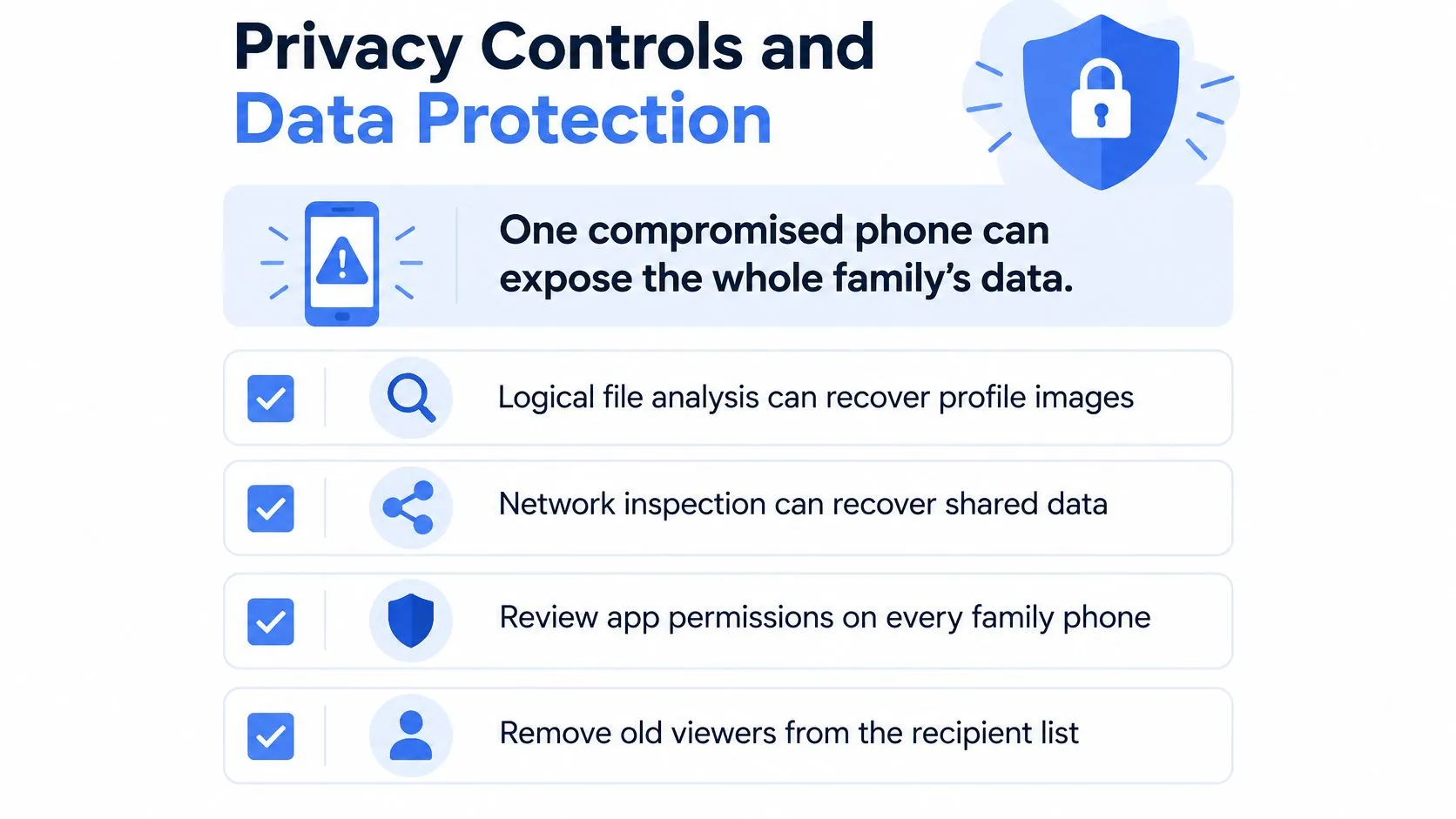
A live dot is only one piece of the privacy picture. A history of movements can reveal routines around home, work, school, worship and medical visits. Review whether the family needs that history at all, and use deletion controls to limit how long it remains available.
A checklist for every phone in the circle
- Strong device passcode: avoid a simple guess tied to a birthday.
- Current operating-system updates: review location permissions and background access after major updates.
- Multi-factor authentication on the account: turn it on where the app offers it.
- Explicit consent before adding anyone: relatives who mean well still need to agree.
- Prompt removal when a device or relationship changes: remove the old session when a phone is replaced or access is no longer appropriate.
- Temporary sessions and automatic expiry: choose sharing that ends on its own when possible.
- Approximate sharing as the resting state: use precise location only when there is a reason.
- Deletion controls for history: find and understand them before you need them.
Sharing should have a clear purpose and an end point. A temporary pause from the family map, sometimes called ghost mode, lets someone step away without leaving the circle altogether. Agree when and why it may be used, so a pause is understood as a limit on sharing, not a reason to uninstall the app in frustration.
Two retention rules to check before you rely on emergency features
Emergency sharing may continue after an incident. With 3rd-i, the RapidSOS integration may continue limited location sharing for up to an additional 30 minutes after an incident. By starting or using SOS or dispatch, users authorize 3rd-i to share their information, which may include location, with RapidSOS and public safety responders to facilitate emergency assistance.
Read the equivalent terms for the app your family uses. Make sure everyone understands what may be shared during an emergency, how long sharing may continue, and where deletion controls are. A family arrangement works best when its limits are understood before anyone relies on it.
When Location Data Fails or Turns Harmful
The dot is not proof. A map can show a stale position, a wrong position, or nothing at all, and treating it as confirmation of safety is how families end up either panicking over a dead battery or missing something real because the feed looked calm.
The stakes are documented. A review of research on digital location tracking reports that 36% of surveyed U.S. college students said their parents currently used location tracking and 11% had experienced it previously, with current tracking reported for 47% of White students, 34% of Hispanic students and 28% of Black students (University of Melbourne). Location data can expose young people to stalking, surveillance and privacy violations, which is why checking what is collected, who can access it and how long it’s kept belongs in the setup conversation, not the appendix.
Failures cluster into a few recognisable shapes.
| Symptom | Likely cause | Fallback |
|---|---|---|
| Dot far from the real position | Indoor GPS or a cell-tower estimate | Confirm by message before raising an alarm |
| Location missing entirely | Permission revoked or app closed | Ask for a check-in and review settings together |
| Phone lost or stolen | Device in unknown hands | Remove the device from the account, change passwords and contact emergency services if someone is at risk |
| Watching that was never agreed | Access kept after consent ended | Revoke access, contact support and seek help from a trusted service if unsafe |
Fallbacks that don’t depend on the app
Every family needs at least one channel that works when the phone doesn’t cooperate. Denying location access prevents trip mode, precision SOS location sharing and related Safety Agent functionality from working as intended, so the backup has to live outside the tracker entirely.
- A scheduled check-in by message or call: one line at an agreed time, no thread required.
- A verification step before escalation: two independent signals before anyone starts driving to a location.
- A direct route to the local emergency number: a call that doesn’t route through an app, a login or a subscription.
- A revocable access plan: who removes a viewer, how, and who confirms it happened.
Accuracy problems deserve their own troubleshooting pass rather than a guess. Our guide to improving location accuracy covers the usual culprits, from background permissions to battery-saving modes that throttle updates.
Harm is the harder category. When one adult keeps watching another after the agreement or the relationship ends, it stops being a settings problem. Guidance on protective orders and custody from the Law Office of Bryan Fagan, PLLC covers how those instruments handle access and contact, which is the right framework once revocation alone isn’t enough.
The contrarian position worth taking seriously: more continuous visibility is not automatically safer. Bounded sharing, a written fallback, and an emergency route that works without the tracker reduce both false reassurance and privacy harm.
Set Up and Check Your Family Sharing
Work through this once, together, in a single sitting.
- Set the mode for each person. Use the four-mode table from earlier in this guide and match each share to the purpose you wrote on the rules note. Approximate sharing for routine presence, trip-only for journeys, continuous only where someone needs regular check-ins.
- Set precision and an expiry for every share. Use the precision table, keep the broad radius as your default, and return to it when the safety purpose has passed.
- Secure every phone. Passcode, current operating-system updates, multi-factor sign-in, and an old-device cleanup on the account.
- Confirm what the app shows before activation. Recipient scope, precision, duration and history retention should all be visible on one screen. If they aren’t, you’ve found your first setting to change.
- Check the emergency retention rules. Note the extra 30-minute post-incident window and the SOS authorisation that sends location to RapidSOS and public safety responders, and write both into your rules note.
- Send the note to every member. Six lines, plain language, with the review date at the bottom.
One trade-off to weigh. In our app, precise location including background location is what enables trip mode, SOS and location sharing with your Squad, so a phone with location access switched off loses those functions. If your family wants trained Safety Agents and live trip monitoring rather than a dot on a map, that dependency is the price. If not, the privacy limits above should win. Questions about the app or setting up a family plan can go to support@3rd-i.com, and our family check-in app page explains how the pieces fit together.
The agreement will outlast any app you install. Review it when the school year changes, when someone starts driving, and when someone leaves home. A rule set that gets revisited every few months stays trustworthy, and that is the only version worth keeping.
A dot on a map tells you where a phone is. It doesn’t watch the walk, hear what’s happening in the rideshare, or put a trained human on the line when something escalates. 3rd-i builds a personal safety app that streams live video, audio and location to the people you choose during trips and SOS, with Safety Agents who can escalate to 911 through RapidSOS, and family plans with pooled minutes so everyone in the household can use it. Visit 3rd-i to see how live trip monitoring fits alongside the sharing rules you’ve just written.